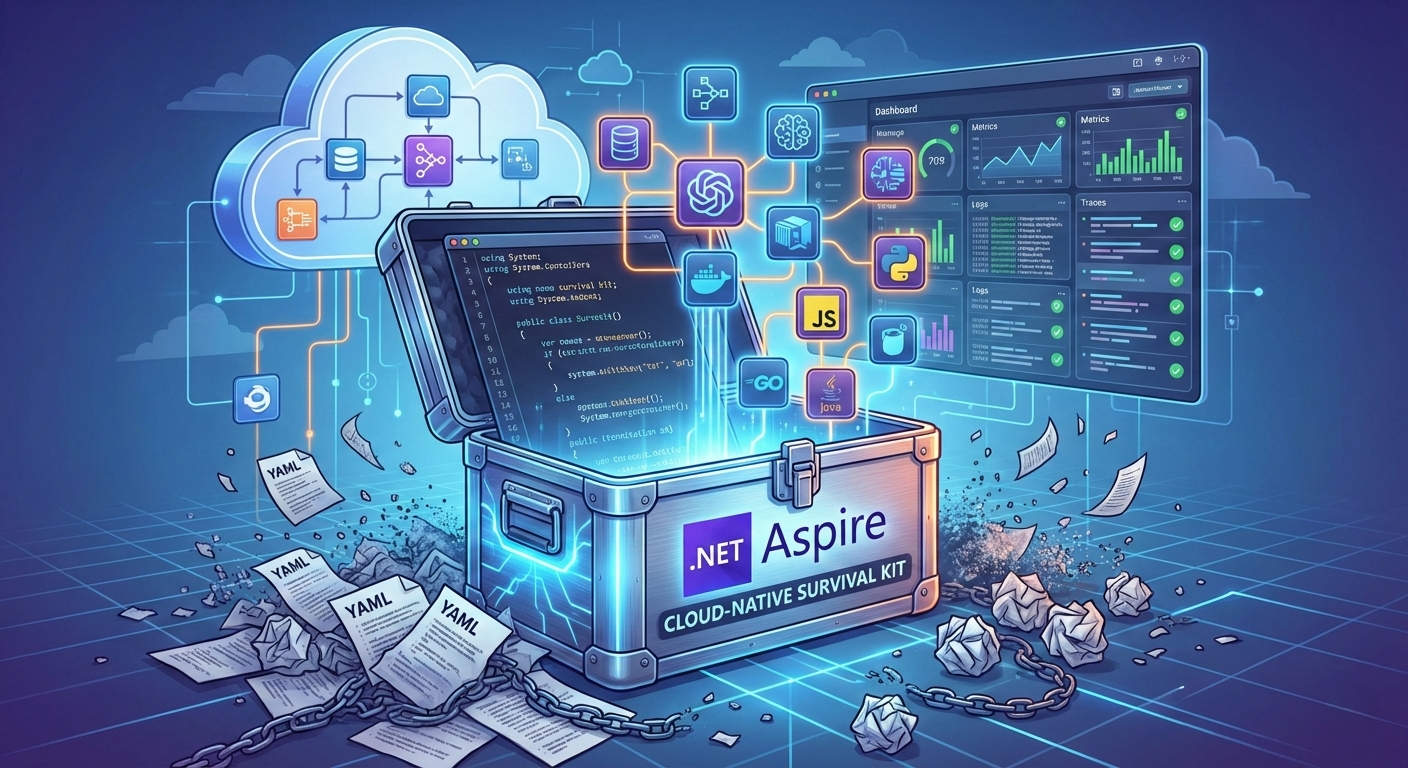
“Hit F5 to begin — skip the setup boss fight.” This is how Craig Taylor, Principal Architect at Xbox Live, captures what every developer knows: Setting up modern microservices architectures is a final boss. In the past, a new developer spent two days getting the local environment up and running. With Aspire? 30 minutes from git clone to the first pull request.
Imagine: You start 15 microservices, 4 databases, and 2 message queues with a single command. No Docker Compose files. No Kubernetes manifests. No manually configured connection strings. Everything orchestrated, monitored, and deployment-ready.
This is Aspire – and in over two years since the first preview (November 2023), it has created an ecosystem that delivers on its promises.
The Problem: When Configuration Becomes More Important Than Code
Reality often looks like this: An e-commerce team wants to set up a new microservices architecture. Four developers collectively spend 12 hours configuring Docker Compose, debugging PostgreSQL connection strings, and figuring out why the frontend service can’t find the API endpoint. Service discovery works locally but breaks in staging.
The result: Developers spend more time on infrastructure setup than on features. Cloud-native development is complex. Too complex. Between microservices, observability, service discovery, and deployment configurations, developers lose focus on what matters: the business logic.
The Aspire Solution: Infrastructure as Code, Type-Safe
Aspire turns the tables. The entire application architecture is defined type-safe in code – with IntelliSense, versioned in the Git repo, no more YAML hell. A central C# project – called the AppHost – defines all services, databases, message queues, and their connections.
Example: A 3-Tier Architecture in 15 Lines of Code
var builder = DistributedApplication.CreateBuilder(args);

// PostgreSQL database
var postgres = builder.AddPostgres("db")
    .WithDataVolume()
    .AddDatabase("products");

// Python FastAPI backend
var api = builder.AddUvicornApp("api", "../api", "main:app")
    .WithUv()
    .WithReference(postgres)
    .WaitFor(postgres);

// React frontend
builder.AddViteApp("frontend", "../frontend")
    .WithNpm()
    .WithReference(api);

builder.Build().Run();
One command starts everything:
aspire runPostgreSQL, API and frontend start in the correct order, including automatic service discovery and OpenTelemetry-based observability. The time savings are measurable: Russ Harding, VP Engineering at EQengineered, reports: “I had someone start on a Monday morning and they were contributing code by lunch.”
Polyglot Power: Not Just for .NET
A common misconception: Aspire is only for .NET apps. In reality, the framework is polyglot from the ground up. Version 13.0 (November 2025) elevated Python and JavaScript to first-class citizens, and 13.1 (December 2025) added MCP support and further refinements.
Supported Languages & Runtimes
As of February 2026: This table reflects the current state of language support in .NET Aspire 13.1.
| Language | Frameworks | Support Status | NuGet Package |
|---|---|---|---|
| .NET | ASP.NET Core Blazor Worker Services Console Apps File-based Apps (.cs) | ✅ Production | Aspire.Hosting.AppHost |
| Python | FastAPI Flask (UV/Pip) Single-file scripts | ✅ Production | Aspire.Hosting.Python |
| JavaScript TypeScript | React Vue Svelte (Vite) Express | ✅ Production | Aspire.Hosting.JavaScript |
| Java | Spring Boot any JVM app | 🧪 Community (Beta) | CommunityToolkit.Aspire.Hosting.Java |
| Go | Any Go application | 🧪 Community (Beta) | CommunityToolkit.Aspire.Hosting.Golang |
| Rust | Any Rust application | 🧪 Community (Beta) | CommunityToolkit.Aspire.Hosting.Rust |
| Bun | Bun-based JS/TS apps | 🧪 Community (Beta) | CommunityToolkit.Aspire.Hosting.Bun |
| Deno | Deno-based JS/TS apps | 🧪 Community (Beta) | CommunityToolkit.Aspire.Hosting.Deno |
Note: Community Toolkit packages are currently in beta and maintained by the open-source community under CommunityToolkit/Aspire. For languages without a dedicated package,
AddExecutableor containers remain viable options.
Real-World Use Case: ML Pipeline + Legacy System
// Python ML service
var mlModel = builder.AddUvicornApp("ml-service", "./ml", "main:app")
    .WithUv()
    .WithReference(postgres);

// Node.js gateway
builder.AddNodeApp("gateway", "./api", "server.js")
    .WithNpm()
    .WithReference(mlModel);

// Legacy Java service (via executable)
builder.AddExecutable("billing", "java", "./java-api", "-jar", "billing.jar")
    .WithHttpEndpoint(targetPort: 8080)
    .WithExternalHttpEndpoints();
Real-World Scenario: A company migrates its 15-year-old Java billing engine, integrates it with new C# microservices for payment processing and a Python-based fraud detection ML model. All services run under one orchestrator with unified observability.
The 150+ integrations (as of February 2026) cover everything – from PostgreSQL via Kafka to Azure OpenAI. Iceland Foods and Xbox Live roll out microservices at lightning speed with it.
Deployment: Same Model, Different Environments
The killer feature? Define once, deploy anywhere. The identical AppHost definition works locally, in staging, and production – without rewrites, without vendor lock-in.
The Publish Workflow
Aspire strictly separates publish (artifact creation) and deploy (execution):
aspire publish --output-path ./artifactsOutput: Parameterized Docker Compose files, Kubernetes manifests, or Azure Bicep templates – no vendor lock-in, full flexibility.
| Mode | What Happens |
|---|---|
| Local | Services as Docker containers with automatic service discovery |
| Staging | Short-lived test environments with real cloud services |
| Production | Kubernetes manifests, Azure Container Apps, or AWS Deploy |
Concrete Example: A fintech startup develops a payment API. Locally, PostgreSQL runs as a container. In staging, the team uses Azure Database for PostgreSQL with reduced resources. In production, the same database scales to high-availability tier – without changing a single line of code.
Hybrid Deployments for Compliance
var aca = builder.AddAzureContainerAppEnvironment("aca-env");
var compose = builder.AddDockerComposeEnvironment("docker-env");

builder.AddProject<Projects.Frontend>("frontend")
    .WithComputeEnvironment(aca);  // Frontend in Azure Container Apps

builder.AddProject<Projects.Backend>("backend")
    .WithComputeEnvironment(compose);  // Backend in Docker Compose
Use Case: Frontend in Azure Container Apps, backend via Docker Compose on-premises for compliance requirements.
Observability: The Game-Changer Without Setup
Remember the time when observability meant: install Prometheus, configure Grafana, set up Jaeger? With Aspire, that’s history.
“OpenTelemetry out-of-the-box in the Aspire dashboard is a game changer for observability!”
— Dan Clarke, Developer & Podcaster at Everstack
The built-in Blazor-based dashboard delivers without setup:
✅ Logs – Structured logs from all services, real-time streaming
✅ Traces – Distributed tracing across service boundaries
✅ Metrics – HTTP request rates, DB connection pools, custom metrics
✅ Resource Management – Start, stop, restart individual services directly from the dashboard
Practical Benefit: An API request takes 3 seconds instead of 200ms. In the dashboard, you immediately see: A PostgreSQL query takes 2.8 seconds. The trace shows the exact bottleneck – no manual log searching needed. In production, the same telemetry can be seamlessly forwarded to Azure Application Insights, Seq, or Elasticsearch.
AI Integration Since Version 13.1
GitHub Copilot Integration in the dashboard:
aspire mcp initConfigures the Model Context Protocol (MCP), so AI agents (Copilot, Claude) can access resource status, logs, and traces. Practical Benefit: “Copilot, why is my API service failing?” receives context-aware answers based on live telemetry.
Integration Ecosystem: 150+ Packages
Aspire integrations follow a two-component model:
1. Hosting Integrations (for AppHost)
Naming: Aspire.Hosting.*
var redis = builder.AddRedis("cache")
    .WithRedisCommander();  // Incl. management UI

var postgres = builder.AddPostgres("db")
    .AddDatabase("appdata")
    .WithPgAdmin();  // Incl. PgAdmin
2. Client Integrations (for Services)
Naming: Aspire.*
Automatic configuration of:
- Dependency Injection
- Health Checks
- Observability (Logging, Tracing, Metrics)
- Resiliency (Retries, Circuit Breaker)
Popular Categories:
- Databases (35%): PostgreSQL, MySQL, SQL Server, MongoDB, Redis
- Messaging (20%): RabbitMQ, NATS, Azure Service Bus, Kafka
- AI/ML (15%): Azure OpenAI, Semantic Kernel
- Cloud: Azure Storage/Key Vault, AWS S3/DynamoDB
- Search: Elasticsearch, Azure AI Search
Community Toolkit: ~49 additional hosting integrations including language support (Go, Java, Rust, Bun, Deno) and infrastructure (Ollama, Dapr, MailPit, Ngrok, SQLite, Minio, ActiveMQ, and more). See CommunityToolkit/Aspire.
Testing: Integration Tests Made Easy
Package: Aspire.Hosting.Testing
var builder = await DistributedApplicationTestingBuilder
    .CreateAsync<Projects.MyAppHost>();

await using var app = await builder.BuildAsync();
await app.StartAsync();

// Test real HTTP endpoints
var httpClient = app.CreateHttpClient("frontend");
var response = await httpClient.GetAsync("/");
Assert.Equal(HttpStatusCode.OK, response.StatusCode);
When to Use?
- ✅ End-to-end tests with real databases
- ✅ Multi-service interactions
- ❌ Not for unit tests (use
WebApplicationFactory<T>)
When Is Aspire Worth It? The Checklist
✅ Aspire is ideal for:
- Multi-service architectures (2+ services)
- Cloud-native projects with dev/test/prod pipelines
- Polyglot teams with different tech stacks
- Fast onboarding (new devs productive in hours)
- Teams wanting to simplify local development (30+ min setup → 5 min)
❌ Less suitable for:
- Single-service apps without dependencies
- Monolithic applications
- Pure frontend projects
- Proof-of-concepts with <2 weeks runtime
🎯 ROI Calculation (typical enterprise project):
- Setup Time: -60% (from 2 days to 4 hours)
- Debugging distributed systems: -40% (through dashboard)
- Deployment errors: -70% (through parameterized artifacts)
- Onboarding new developers: -50% (from 2 weeks to 1 week)
The learning curve exists, but the investment pays off from the second service. Steven Price, Software Engineering Manager at Iceland Foods, summarizes: “Aspire lets developers be developers again.”
Challenges & Reality Check
1. Learning Curve
Challenge: The AppHost concept is new. Teams must understand:
- Difference between Hosting/Client Integrations
- Deployment workflows (Publish vs. Deploy)
Mitigation: Comprehensive documentation at aspire.dev, quick-start templates.
2. Preview Status for Deployment
As of February 2026: aspire deploy for Docker/Kubernetes is Preview.
Recommendation: Test production deployments carefully. Breaking changes possible.
3. Container Security
Aspire uses third-party containers (PostgreSQL, Redis, etc.).
Best Practice: Scan images before production, pin versions.
Conclusion: Evolution, Not Revolution – But the Right One
Aspire is not a disruptive technology that replaces everything. It’s an evolutionary improvement of the developer workflow that solves the right problem: The complexity that prevents developers from doing what they’re paid to do – build features.
The numbers speak for themselves:
- 📊 150+ integrations – Databases, messaging, AI/ML
- ☁️ Multi-cloud capable – Azure, AWS, on-premise
- 🏢 Production-ready – MIT License, .NET Foundation support
- ⚡ Onboarding time – Reduced from days to hours
Nick Chapsas, Founder at Dometrain, puts it succinctly: “The best thing that’s happened to .NET since the open-source shift in 2014!”
Aspire eliminates 80% of the complexity in cloud-native development – and as of version 13.1, it works for non-.NET developers too. Over two years of consistent development shows: Microsoft is serious.
🚀 Getting Started: Your First Aspire App in 3 Minutes
1. Installation (30 seconds)
# Windows
irm https://aspire.dev/install.ps1 | iex

# Linux/Mac
curl -sSL https://aspire.dev/install.sh | bash
2. Create First App (1 minute)
# Python starter (interactive template selection)
aspire new aspire-py-starter
3. Start & Experience (30 seconds)
aspire run
# → Dashboard opens automatically: https://localhost:17068/login?t=...
# → All services start
# → Logs/traces in real-time
Your Next Steps: From Theory to Practice
Week 1: Exploration
- Install the Aspire CLI (5 minutes)
- Start a Python or JavaScript starter project
- Explore the dashboard and experiment with services
Week 2-3: Pilot Project
- Choose a non-critical project (e.g., internal tool)
- Migrate 2-3 services to Aspire
- Measure setup time vs. previous approach
Week 4: Team Onboarding
- Share your learnings with the team
- Define Aspire standards for new projects
- Plan migration of larger systems (if ROI positive)
What are you waiting for? Put down the old flashlight, grab your survival kit – and become the hero of your own cloud story!
Resources & Further Links
Official Documentation:
Community & Support:
The cloud won’t wait. Aspire will. Now it’s your turn.
The future of cloud-native development is code-first, polyglot, and developer-friendly. Aspire makes it a reality today.